
Simulated clinic
A student-created clinic identity gave every subteam the same clinical and operational context.
HiT4EMR · COMP 4090 · Health Informatics (T402)
A simulated OpenEMR implementation designed around a Toronto, Ontario primary-care context.
The HiT4EMR student team explored, configured, tested and documented a shared OpenEMR environment across clinical workflow, infrastructure, security, UI/UX, interoperability, analytics, QA and documentation.
The project
HiT4EMR is the COMP 4090 course project. The student cohort created Maple Grove Family Health Centre as a fictitious clinic identity and shared Toronto/Ontario primary-care context.
Teams then examined how OpenEMR could support that setting across clinical workflow, infrastructure, security, usability, interoperability, analytics and testing before bringing the subteams together around a shared MVP.
A student-created clinic identity gave every subteam the same clinical and operational context.
A browser-accessible OpenEMR 7.0.2 deployment on AWS supported final integration and demonstration.
Clinical, technical and operational subteams converged into shared workflows and evidence.
 Fictional clinic identity created for the HiT4EMR project
Project journey
Early work was distributed across teams and environments. By mid-July, the project narrowed around a shared MVP and common testing environment.
Clinical workflow
Research and clinical workflow work established the simulated clinic context and translated primary-care processes into journeys that could be exercised in OpenEMR.
Technology & standards
Core platform technologies are separated from languages, extensions and healthcare standards.
 OEOpenEMR 7.0.2EMR platform
 AWSAWS EC2Shared cloud environment
 D
DockerContainerized deployment
D
DockerContainerized deployment
 DB
MariaDBApplication database
DB
MariaDBApplication database
 FHIRFHIR R4Clinical API exchange
 HL7HL7 v2Lab messaging
 CDAC-CDAPatient summary export
 LOINCLOINCLab terminology
 OAuth2OAuth2API authorization
 PHPPHP
 PYPython
 HTMLHTML5
 CSSCSS
 BASHBashCommand-line shell
 LinuxLinuxServer environment
Interoperability
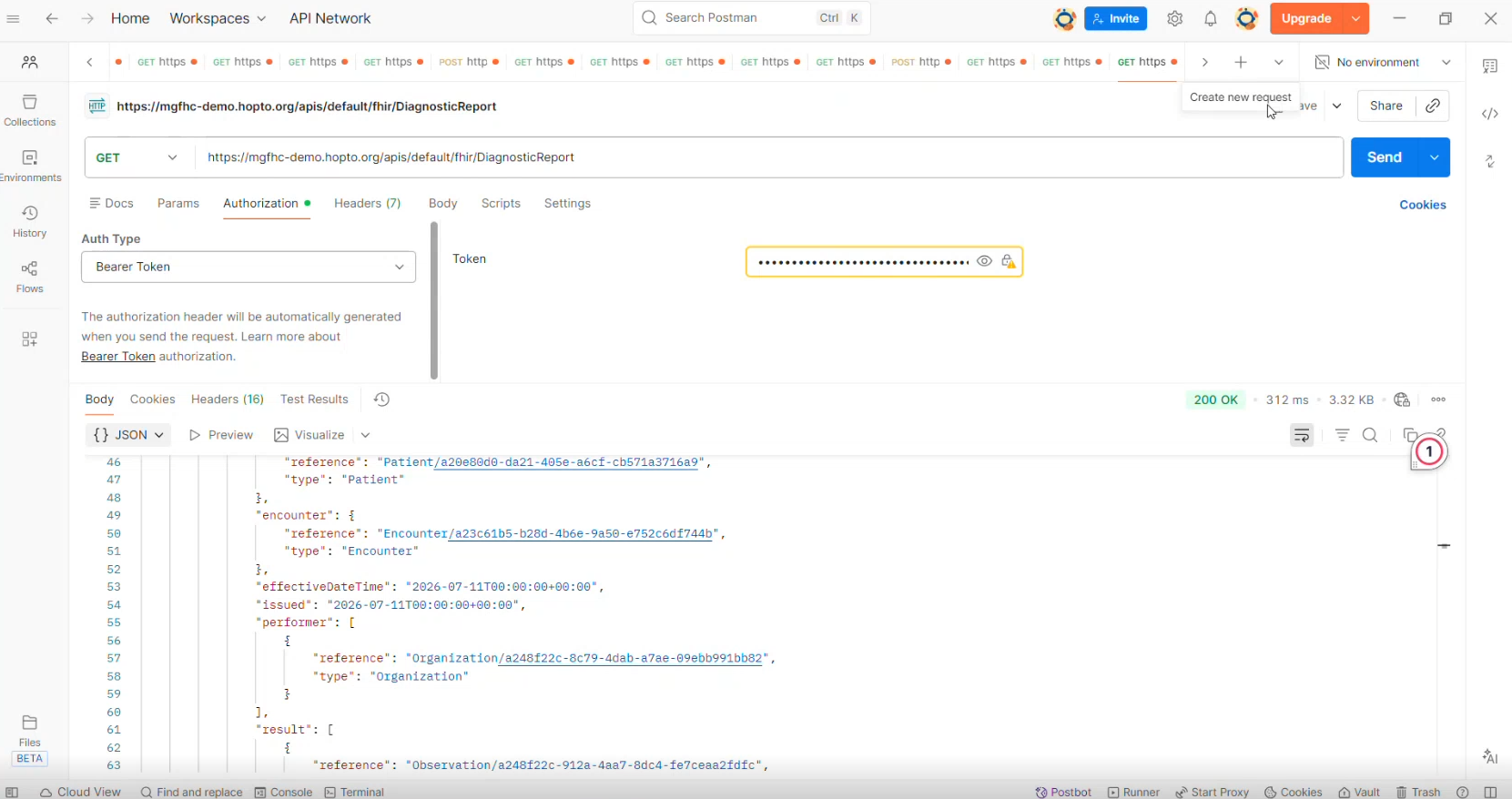
The team used OpenEMR’s FHIR API to retrieve clinical data and tested a mock lab order-and-result workflow with synthetic data.
Authenticated requests retrieved Patient, Observation and DiagnosticReport resources.
Orders and results were tested with a simulated lab, not a live external laboratory.
Subteams
The public showcase describes the project collectively while keeping each subteam visible.
Mapped clinic workflows and built the patient journeys used in testing.
Ran shared OpenEMR environments on AWS, including HTTPS, backups and troubleshooting.
Reviewed roles, access controls, privacy risks and production-readiness gaps.
Audited key workflows, applied feasible UI changes and proposed improvements.
Tested FHIR API access, HL7 lab workflows and supporting clinical standards.
Mapped useful KPIs to OpenEMR data and documented reporting limits.
Turned workflows into test cases and coordinated integrated testing and Go-Live.
Built user guides, role cards and the final project evidence package.
Analytics example
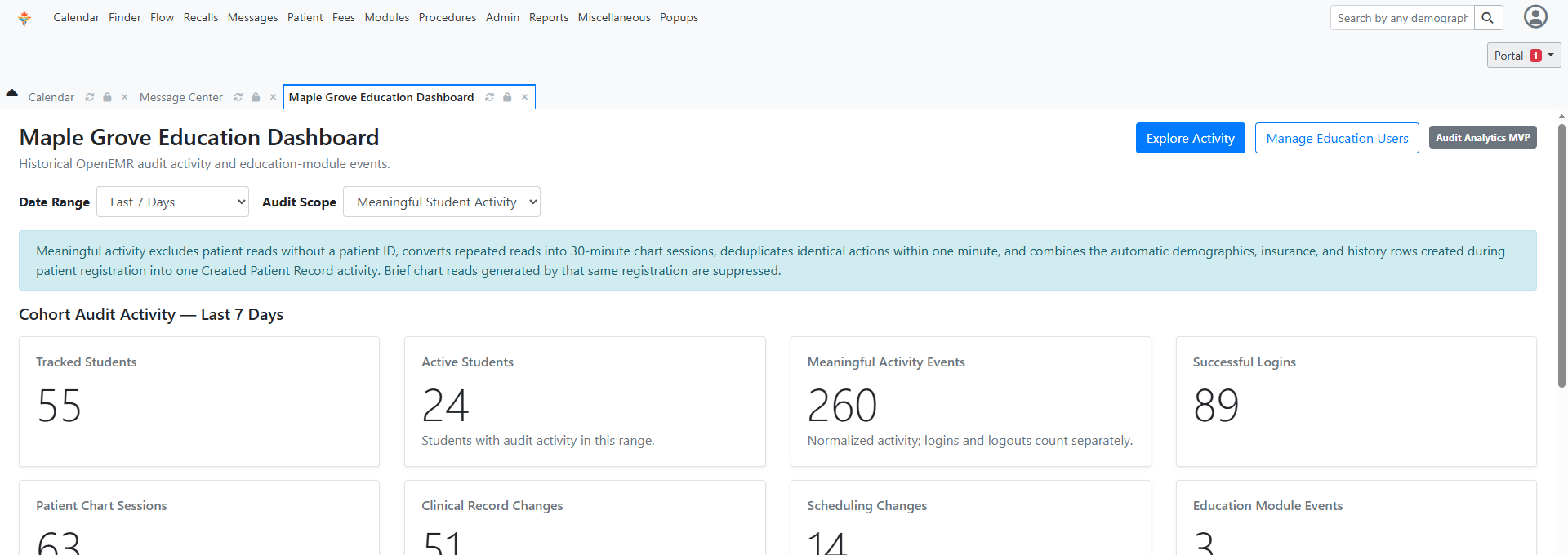
A custom education dashboard summarized OpenEMR audit activity and education-module events into a quick cohort-level view.
UI/UX example
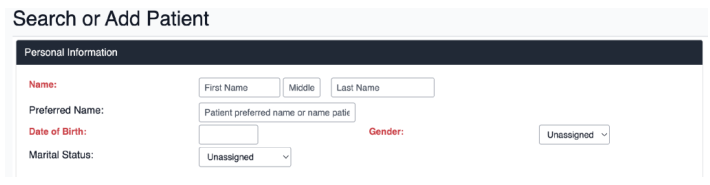
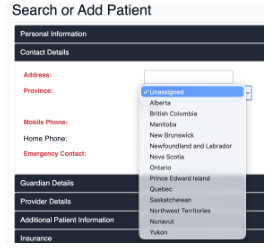
The UI/UX team simplified registration labels and fields, then changed the province list from U.S. states to Canadian provinces and territories.
Integrated testing & Go-Live simulation
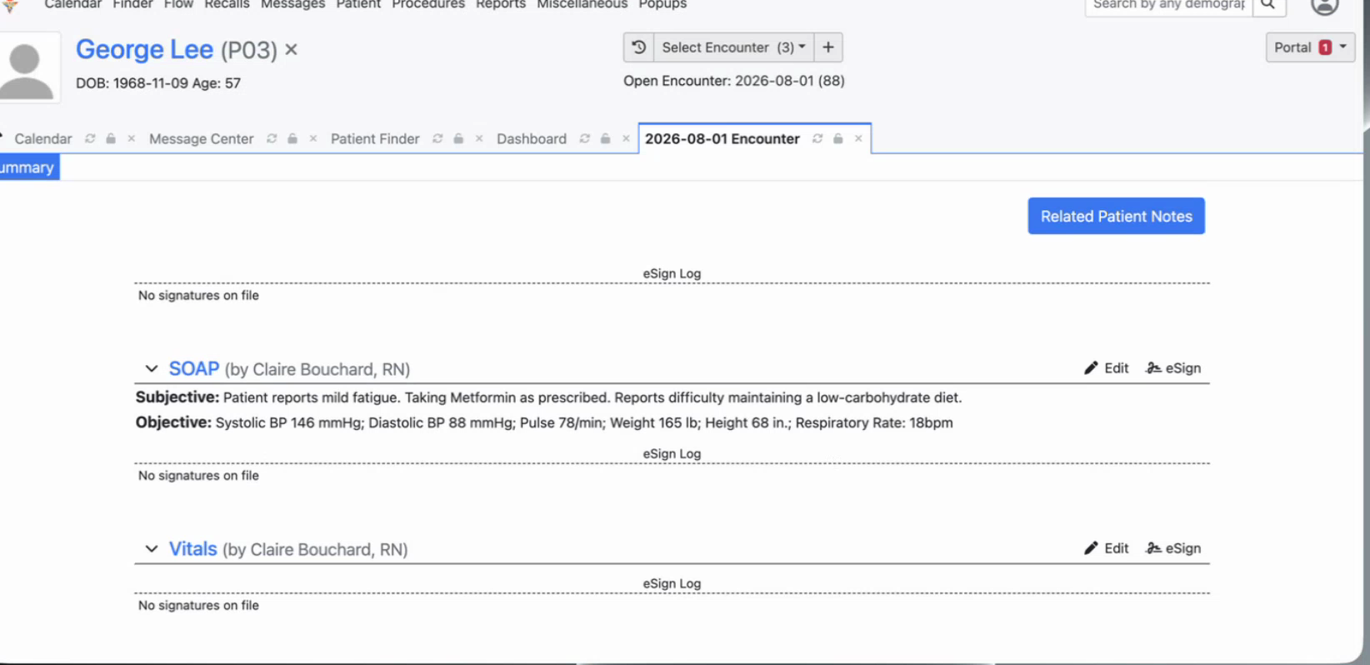
During the Go-Live simulation, three breakout rooms each ran a different patient journey. The exercise focused on whether role handoffs, permissions, documentation, lab activity, appointments and patient-facing interactions worked together in the configured environment.
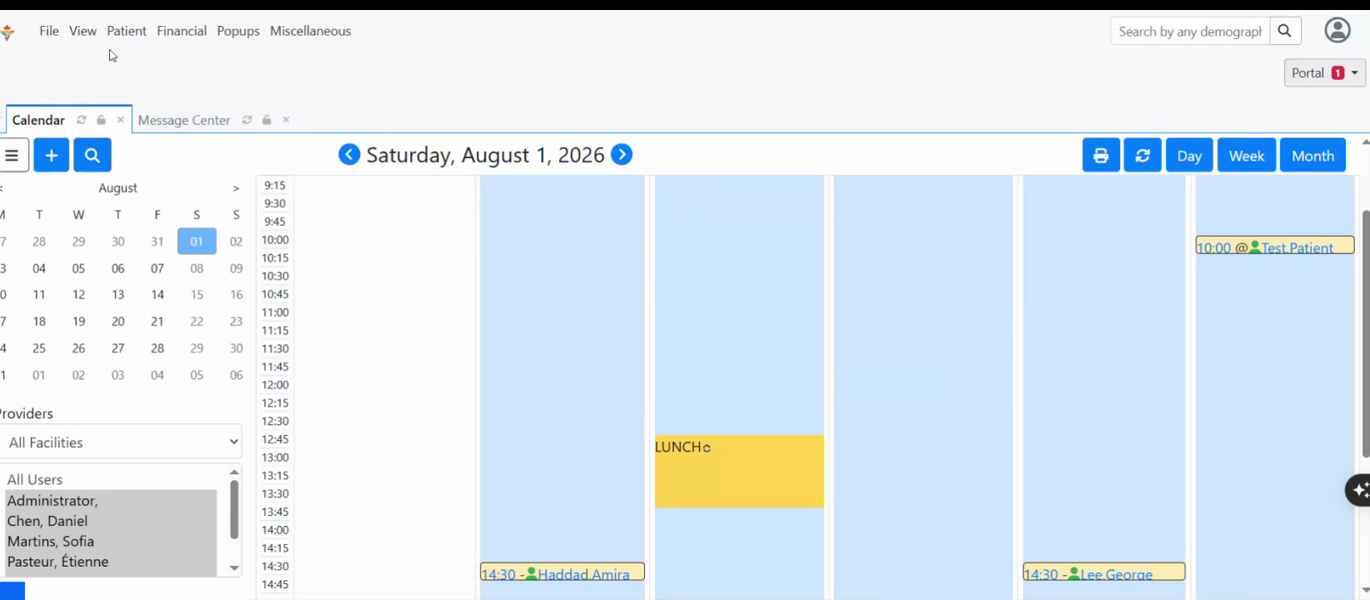
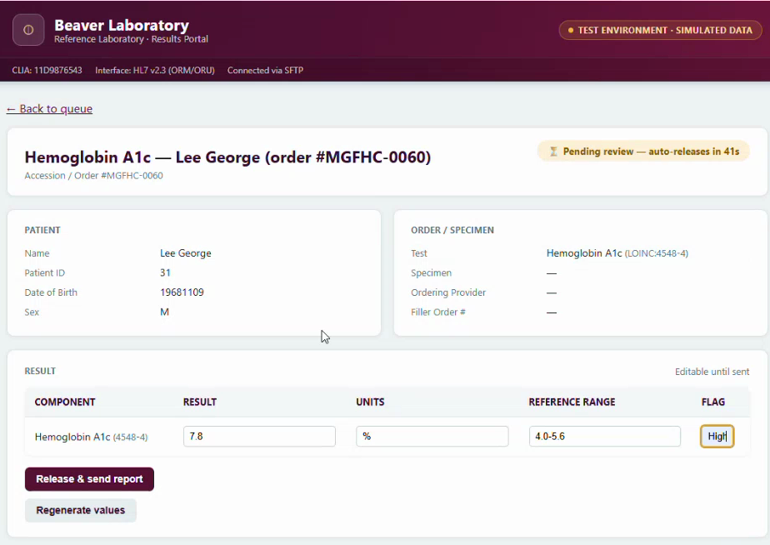
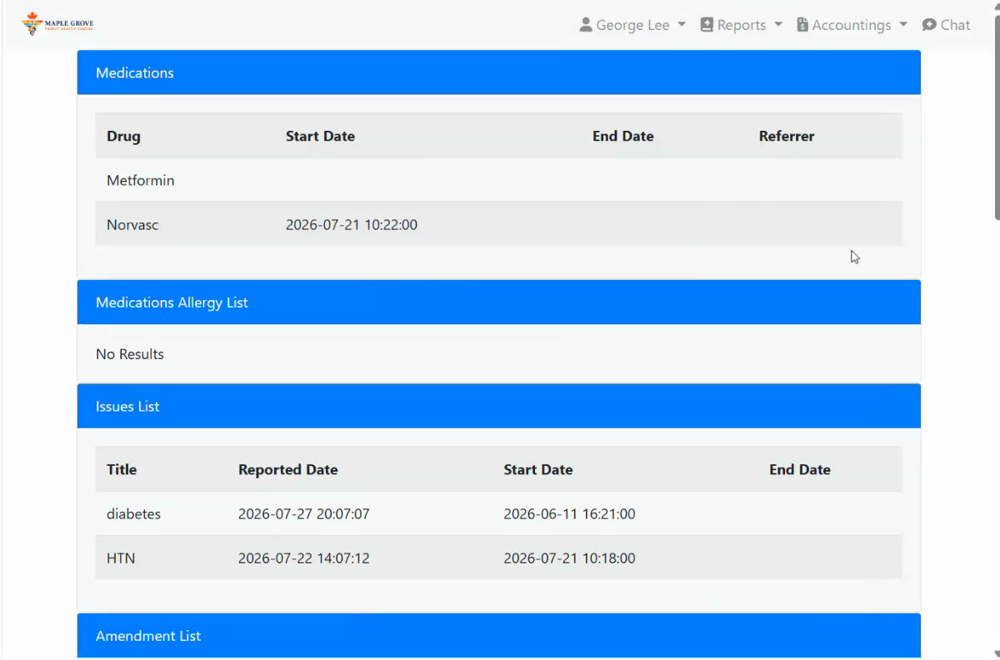
The three patient scenarios were completed, but testing also found issues with role permissions, portal access, navigation, and some workflow handoffs. These were documented and used to improve project guidance and recommendations.
Lessons learned
Version and environment differences created avoidable integration friction.
A defined integration scope made cross-team testing much more manageable.
Roles, permissions and handoffs matter as much as individual features.
Clear guides, support and honest limitation notes made troubleshooting useful.
Beyond the simulation
Real clinical use would require additional privacy governance, security operations, recovery planning, monitoring and Ontario health-system integrations.
The project team
HiT4EMR was completed across eight subteams. This section recognizes project leadership, key contributors and participating students while keeping each person’s roles visible.
Green-highlighted cards recognize particularly significant contributions.
Public contributor roster includes students who opted in to be listed. Roles are based on the project roles matrix and project feedback.